
02 //Why this course
Why this course.
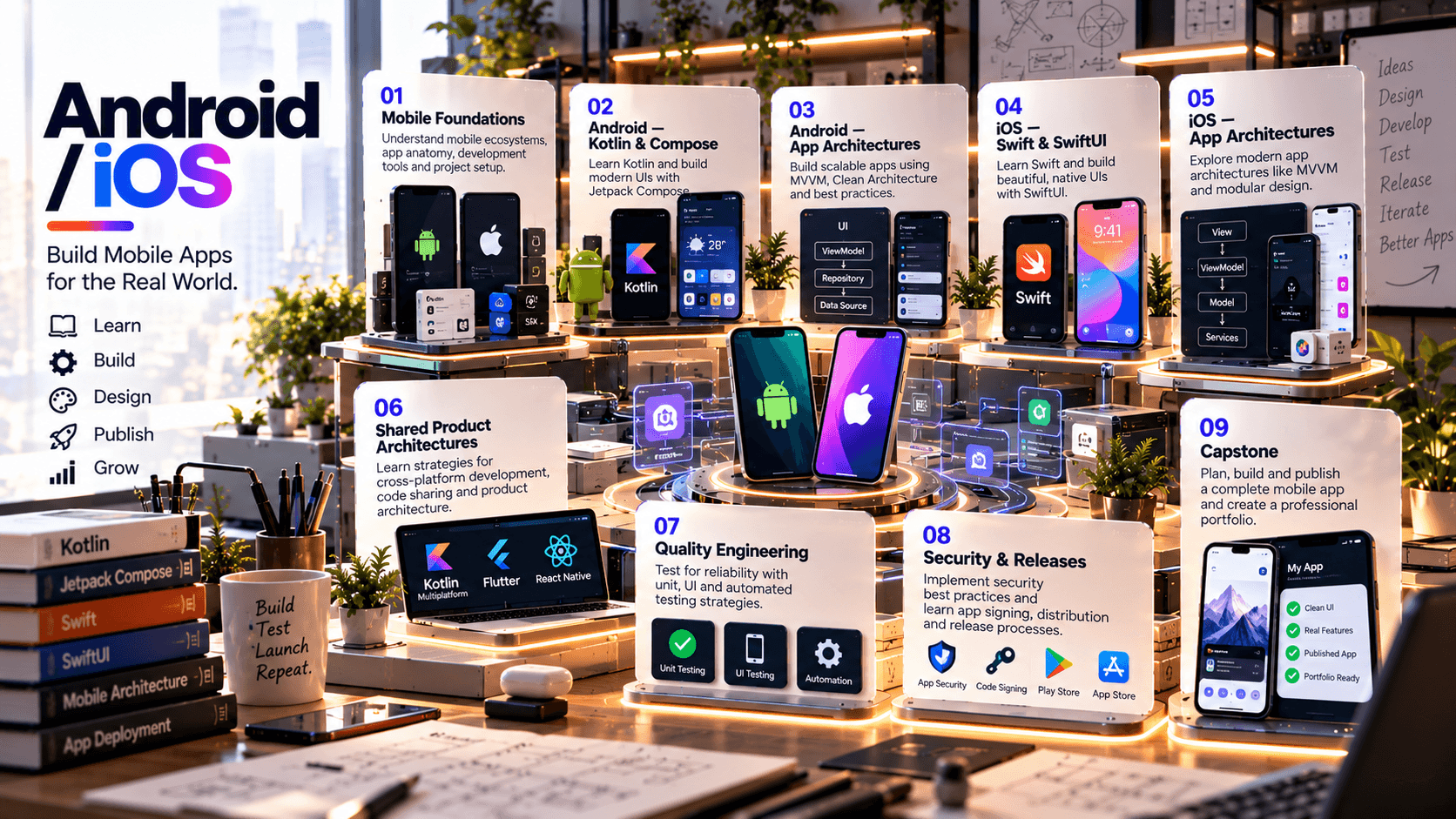
This 45-day program is designed to introduce learners to modern native mobile application development across both Android and Apple platforms. The architecture uses a shared product/application lifecycle while teaching platform-specific implementation: Kotlin and Jetpack Compose on Android, and Swift and SwiftUI on iOS. Core topics include UI composition, navigation, state and data flow, networking, persistence, device-aware UX, testing, performance, accessibility and release preparation.
Current Android documentation positions Jetpack Compose as the modern UI toolkit and documents composition/layout/drawing, testing APIs and scalable Compose architecture. Apple's current SwiftUI pathway positions declarative UI, navigation, data modeling, persistence and testing as central to app development, with Xcode as the development environment.
03 //Curriculum
Course phases.
04 //Technology stack
The tools you'll work with.
Tools
Android Studio
Kotlin
Jetpack Compose
Android Jetpack architecture components / ViewModel concepts
Navigation Compose
Coroutines
Room or an approved Android persistence approach
Android UI testing / Compose testing APIs
Xcode
Swift
SwiftUI
NavigationStack / NavigationSplitView
Swift Concurrency (async/await)
SwiftData or approved persistence approach
Swift Testing and/or XCTest
Git / GitHub
REST/JSON API integration
Postman or equivalent API inspection tool
Android Emulator + approved physical Android device
iOS Simulator + approved physical Apple device where available
05 //Projects and practice
Learning by doing.
- 01
Android UI Sprint
Build a polished multi-screen Compose application with reusable components, state and responsive layouts.
- 02
Android API App
Consume a REST API, handle loading/error states, parse JSON and persist selected data locally.
- 03
iOS SwiftUI Sprint
Build the equivalent product flow using SwiftUI, navigation, state and reusable views.
- 04
iOS Data App
Integrate networking, Codable, persistence and state-driven UI with SwiftUI.
- 05
Cross-Platform Product Specification
Define shared UX, API contracts, data models, platform-specific behaviors and release requirements.
- 06
Mobile QA Lab
Create unit/UI tests, validate navigation, handle edge cases and perform accessibility/performance checks.
- 07
Release Candidate
Produce Android and iOS release-oriented builds with documentation, test evidence and portfolio presentation.
06 //Capstone
Capstone options.
- 01
Personal Finance App
transactions, categories, budgets, charts, persistence and secure user flows.
- 02
Learning App
course catalog, lesson detail, progress tracking, bookmarks and offline-aware states.
- 03
Service Booking App
service discovery, scheduling flow, profile, notifications concepts and API integration.
- 04
Field Operations App
task lists, status updates, forms, photo/file capture concepts and local persistence.
- 05
AI Assistant Mobile App
conversational UI, API integration, loading/error states, history and platform-specific UX.
07 //Assessment
How progress is checked.
- Mobile concepts & platform quizzes
- Android Kotlin/Compose labs
- Android architecture/networking/persistence
- iOS Swift/SwiftUI labs
- iOS architecture/networking/persistence
- Testing/accessibility/performance
- Integrated Android+iOS capstone
- Technical demonstration & documentation
08 //Learning journey
From foundation to capability.
How learning builds through a course. It describes the approach, not a promised outcome.
Foundation to capability
How learning builds
Stage 01
Foundation
The core concepts, vocabulary and tools the rest of the course builds on.
Stage 02
Practice
Guided exercises that turn concepts into working skills.
Stage 03
Application
Applying those skills to realistic problems and project work.
Stage 04
Capability
Using what you've learned with growing independence and judgement.
09 //Questions
Frequently asked questions.
Start learning
Ready to start learning?
Ask about training to talk through where this course fits your goals.