
01 //Training course
UI Development
- Track
- Programming
- Duration
- 45 Days
02 //Why this course
Why this course.
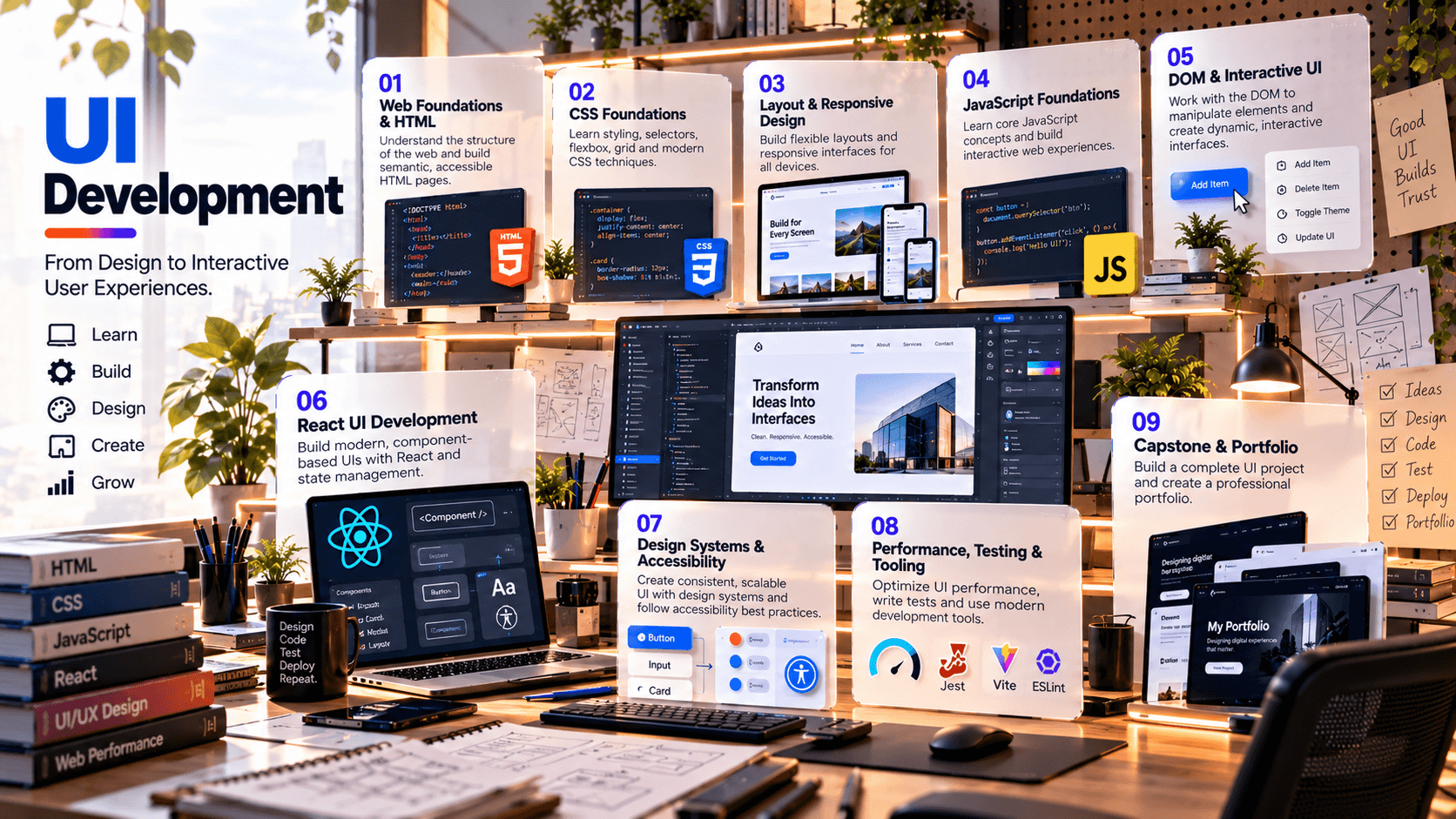
This 45-day program is designed as a front-end user-interface development pathway that teaches learners to turn design requirements into responsive, accessible and interactive web interfaces. The curriculum moves from web standards and semantic HTML through CSS styling/layout, responsive design, JavaScript fundamentals and DOM interaction, then into component-based UI development, design systems, accessibility, performance, testing and deployment-oriented workflows.
MDN's current learning curriculum identifies semantic HTML, CSS fundamentals, CSS layout, JavaScript fundamentals, accessibility, design theory and version control as core front-end skills. It also explicitly covers responsive design, user-centered design and accessibility as part of professional web development.
03 //Curriculum
Course phases.
04 //Technology stack
The tools you'll work with.
Tools
HTML5 and semantic web standards
Modern CSS
Flexbox, Grid, media queries, custom properties
JavaScript (modern ECMAScript)
Browser DevTools
React
React-compatible modern project framework/tooling where appropriate
Figma or equivalent design handoff tool
Git / GitHub
ESLint and formatting tooling
Vitest/Jest and React Testing Library or equivalent testing stack
Lighthouse / browser performance and accessibility auditing
Vercel, Netlify or another approved static/frontend deployment platform
05 //Projects and practice
Learning by doing.
- 01
Responsive Landing Page
Convert a visual brief into a semantic, responsive page using HTML and CSS with multiple breakpoints.
- 02
Interactive Product Website
Add JavaScript interactions, navigation states, forms, validation and dynamic UI behavior.
- 03
Dashboard UI
Build a responsive analytics-style interface with cards, tables, filters, charts/placeholders and reusable layout components.
- 04
Design System Starter
Create reusable buttons, inputs, cards, navigation, typography and spacing tokens with documented states.
- 05
React Component Library
Build reusable React components and compose them into multiple screens.
- 06
Accessibility & Quality Audit
Audit a completed interface for semantics, keyboard navigation, focus, contrast, labels, responsiveness and performance.
- 07
Production Deployment
Version, build, validate and deploy the final UI with a documented README and portfolio case study.
06 //Capstone
Capstone options.
- 01
Premium SaaS Dashboard
responsive application shell, navigation, reusable components, tables, filters, forms and accessible interactions.
- 02
Modern E-Commerce UI
product listing, filters, product detail, cart interactions and responsive checkout experience.
- 03
AI Product Interface
conversational/agent UI with states for loading, errors, citations, actions and responsive layouts.
- 04
Corporate Technology Website
multi-section responsive website with design system, animations, accessibility and performance checks.
- 05
Learning Platform UI
course catalog, course detail, progress interface, dashboard and reusable component system.
07 //Assessment
How progress is checked.
- Web standards & HTML/CSS concepts
- CSS/layout/responsive labs
- JavaScript & DOM labs
- React/component architecture
- Accessibility, testing & performance audit
- Integrated capstone
- Portfolio presentation & documentation
08 //Learning journey
From foundation to capability.
How learning builds through a course. It describes the approach, not a promised outcome.
Foundation to capability
How learning builds
Stage 01
Foundation
The core concepts, vocabulary and tools the rest of the course builds on.
Stage 02
Practice
Guided exercises that turn concepts into working skills.
Stage 03
Application
Applying those skills to realistic problems and project work.
Stage 04
Capability
Using what you've learned with growing independence and judgement.
09 //Questions
Frequently asked questions.
Start learning
Ready to start learning?
Ask about training to talk through where this course fits your goals.